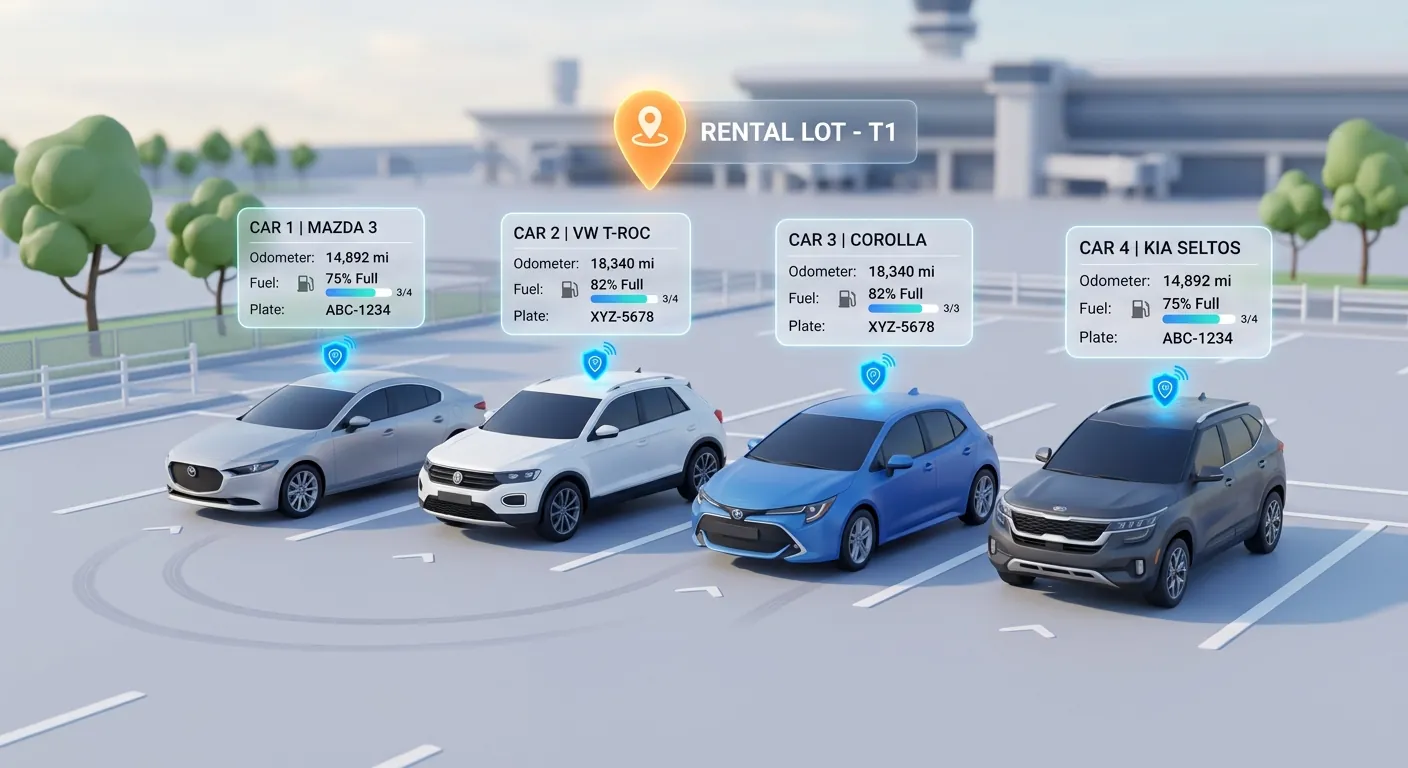
Key Highlights
- Connect your AirIQ account from Settings → Integrations with a username and password, no IT project required
- Vehicles link to their AirIQ trackers automatically by license plate or VIN
- Odometer readings update on their own, every hour, between rentals
- See where a vehicle is on a map, with a "Locate now" button and role-based access that respects renter privacy
A month ago we connected Rentbee to Geotab and promised it wouldn't be the last telematics provider. Here's the next one. Rentbee now integrates with AirIQ, so rental operators running AirIQ trackers get their mileage and vehicle locations straight in their car rental software, without a second portal or a clipboard.
Why AirIQ
AirIQ is a popular choice with Canadian rental and fleet operators, often installed for theft recovery and security. That makes it a perfect source for the numbers rental teams re-type every day. We built the integration alongside a rental operator that runs its whole fleet on AirIQ, so it's shaped by how a real counter and lot work.
The two figures AirIQ customers asked for most:
- Mileage, which decides service intervals, excess-mileage charges and when a vehicle rotates out of the fleet
- Location, which decides how fast you can act on a late return, a suspected theft or a car that's "somewhere on the lot"
What the AirIQ Integration Does for Your Rental Fleet
Connect with the login you already have
An admin opens Settings → Integrations in Rentbee, chooses AirIQ, and enters an AirIQ username and password. Rentbee checks the connection straight away.
AirIQ needs to switch on API access for the user Rentbee signs in as, so ask AirIQ support or your account manager first. We recommend a dedicated user rather than a staff member's own login. Our telemetry setup guide walks through it step by step.
One connection covers every company and fleet that AirIQ user can see. Want to keep some vehicles out of Rentbee? Narrow that user's access in AirIQ.
Vehicles link to their trackers automatically
Rentbee matches each vehicle in your fleet to its AirIQ tracker by license plate, or by VIN where AirIQ has one. There's nothing to map by hand.
Your vehicle list's Telemetry column shows which vehicles are linked and whether the connection is healthy, with a green, amber or red status and the time of the last sync. A vehicle that won't link usually has a plate that differs between Rentbee and AirIQ, which is worth fixing anyway.
Odometer readings that keep themselves current
Every hour, Rentbee reads each linked vehicle's latest odometer from AirIQ and updates it in Rentbee, so mileage-based service reminders and fleet reports reflect reality between rentals.
The same safeguards as our Geotab integration apply:
- Odometer readings only move forward. An older or lower reading never overwrites a newer one.
- Signed agreements are never touched. The mileage recorded at check-out and return stays exactly as your team saved it.
- Service reminders stay accurate. When the odometer moves, mileage-based service reminders move with it.
Need a reading right now? Each vehicle has a sync button that pulls the latest figures on demand.
See where a vehicle is, when you need to
A linked vehicle's page shows a Location card with a map and the vehicle's last known position. Hit "Locate now" and Rentbee asks AirIQ for the current position on the spot. It's built for a late return, a suspected theft, or a car you just can't find on a busy lot.
Built to Earn Your Trust (and Your Renters')
Rentbee only reads from AirIQ. The integration never sends commands to your vehicles. It can't lock, unlock or disable a car, and it doesn't change anything in your AirIQ account.
Your AirIQ credentials stay locked away. They're kept in a secure vault, used only to talk to AirIQ, and never shown back to anyone in Rentbee.
Location access follows your team's roles. Admins, managers and support staff can see a vehicle's location. Rental agents see it only while the vehicle is available on the lot, not while it's out with a customer. Delivery agents don't see it at all.
We keep the last position, not a trail. Rentbee stores only a vehicle's most recent location, with no route history.
You'll know if anything breaks. If the AirIQ password changes or the connection starts failing, the status turns amber or red so your team can fix it before the data goes stale.
Who Benefits Most
- Rental companies that installed AirIQ for theft recovery and want that investment to pay off at the counter too
- Multi-location operators who want accurate mileage across sites without chasing each branch for readings
- Insurance replacement fleets, where long, open-ended rentals make between-rental mileage and location especially valuable
One Experience, Whichever Tracker You Use
AirIQ plugs into the same experience as Geotab: the same Telemetry column, the same automatic odometer updates, the same location card. Running a mixed fleet with both? Connect both, and every vehicle reports into the same place.
More providers are on the way. If your fleet runs on something else, tell us and we'll let you know where it stands.
FAQ
Does Rentbee integrate with AirIQ?
Yes. Rentbee connects directly to AirIQ. Once connected, your vehicles link to their AirIQ trackers automatically, and Rentbee keeps their odometer and last known location up to date.
How do I connect AirIQ to Rentbee?
Ask AirIQ to enable API access for the user Rentbee will sign in as. Then an admin opens Settings → Integrations in Rentbee, chooses AirIQ and enters that username and password. See the setup guide for the details.
Does Rentbee get fuel levels from AirIQ?
AirIQ doesn't report fuel level, so for AirIQ vehicles your team keeps recording fuel at check-out and return, as they do today. If fuel matters to you, Rentbee also reads fuel and EV battery charge from Geotab.
How often does Rentbee update from AirIQ?
Every hour, automatically. You can also refresh a single vehicle on demand, and ask for a vehicle's live location with "Locate now".
Can Rentbee immobilise or unlock a car through AirIQ?
No. Rentbee only reads from AirIQ and never sends commands to your vehicles.
Do I need new hardware?
No. If your vehicles already have AirIQ trackers installed, the integration uses them as they are.
Put Your AirIQ Data to Work
You already have the trackers. Now their data can do real work in your fleet list, your service schedule and the moment a car is late back, without anyone typing a single odometer reading.
Already a Rentbee customer with AirIQ? Follow the setup guide or contact our team and we'll help you connect. New to Rentbee? Book a demo and see your fleet reporting in.
AirIQ is a trademark of AirIQ Inc. Geotab is a trademark of Geotab Inc.